‘Believe’ bookmark

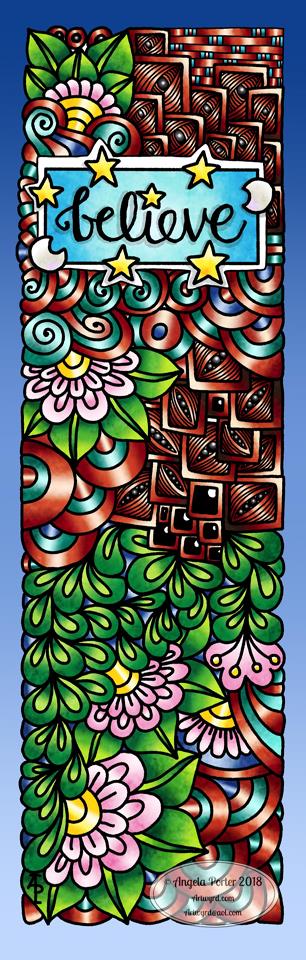
Angela Porter believe bookmark 15April2018Believe … in yourself.

I thought I’d spend sometime today finishing off this bookmark design.

I’m not too happy with the colours, a bit too dark, but I can always re-colour at some point.

Digitally drawn and coloured, though I did sketch the writing out and scan it in to help me write it on my Microsoft Surface book with my Microsoft Surface pen.

#fundaysunday #sundayfunday #weekendvibes


WIP Wednesday

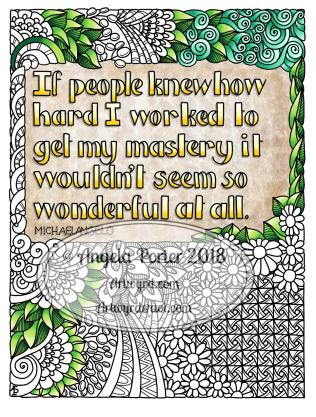
Angela Porter Wednesday 11 April 2018 This is my current work in progress, with a little bit of wisdom thrown in.

I planned the lettering out on Rhodia dot grid paper before scanning it in. I then re-drew the letters digitally.

I did a blog post with tips for hand lettering  yesterday, but there’s also some in my upcoming book A Dangle A Day, available for pre-order.

The patterns around the quote were also drawn digitally, using my faithful Microsoft Surface pen, along with my Microsoft Surface Book and Autodesk Sketchbook Pro.

I’ve started to add colour, though there’s quite a lot to do, including adding textures. It’s a pleasant way to spend time.

What I’m quite pleased with is the stone background behind the letters.  It’s not perfect, but I got my head around how I could achieve this.  Working in layers means I can do things I can’t do with traditional media, try as I might, but it involves working out how I can use layers to do different things as well as becoming aware of what I could use layers for.

Yes, I could watch and read tutorials, but there’s something satisfying about working out for yourself how to do things, and creating things in your own way.  That’s the sheer bloody-minded independence I have at times.

Perhaps I could learn quicker with tutorials, but I also know I can become quickly overloaded with information and instructions and ideas (something that frustrates me as before my two episodes of severe depression and anxiety I had no trouble at all…) so bit by bit I discover what I need to be able to do at any one time. Then practice using it until it’s easy to do and natural.

I do love how I can flip-flop between traditional media and digital work, as well as combining the two, whether it be a sketch that is then worked on digitally or using traditional media backgrounds to draw upon digitally. It also takes me a little bit out of my ‘comfort zone’ too, but in an enjoyable way.
Sunday funday

experiment 8april 2018 angela porter It’s Sunday, so that means it must be #fundaySunday #Sundayfunday.

This was my bit of fun for the day.  I created a background using Distress Inks, a mini-blending tool and a stencil.

After scanning it into my Microsoft Surface Book, I imported it into AutodeskSketchbook Pro and started to draw entangled patterns on the top of it.

It was just an experiment to see how it worked out, including the use of colour gradient fills for the entangled patterns.

I think it worked out ok.  I think there’s some more things I’d like to try out using this method; scanning backgrounds and then working on them digitally opens a new world of possibilities for me, as well as keeping me playing with more traditional media.  I do love the mix of the old with the new.

Of course, drawing on my Surface with the Surface pen is a lot like drawing with pen and ink on paper but with more possibilities…

It’s Friday!

Angela Porter 6 April 2018 colouredFriday means it’s #dangleday, #freebiefriday #fridayfreebie and #furbabyfriday all over the web!

I’ve designed the dangle to the left for #dangleday.  I will also be putting an uncoloured version of it on my facebookpage – Angela Porter Illustrator – for you to download and colour for free.  So that makes it a #fridayfreebie.  It’s also great for getting into that #weekendvibes going – nothing like a bit of creativity to relax you after a busy week.

I’ve left the banner blank so you can add your own message.

Perfect for a bullet journal (BuJo) cover page.  Lovely turned into a greetings card.

Make sure you print it out to the size you need; the image is sized to fit on an A5 BuJo page, but it will print out cleanly to A4 (US letter) sized paper.

All I ask is that you don’t share the uncoloured image, but feel free to share the coloured image stating where you got it from. Also, the template is not for resale either in it’s uncoloured or coloured form; it’s for personal use only, though you can give the finished project away as a gift if you wish.

I’d love to see how you use the template, so please share on my facebook page.  You can also tag me on Instagram as @angelaporterillustrator or on Twitter as @wyrdsmithing.  On facebook you can tag me either as #angelaporter.

Don’t forget, my new book ‘A Dangle A Day’ is available to preorder.

It’s also #furbabyfriday over on the facebook group Angela Porter’s Coloring Book Fans, and I love to see everyone’s furbabies!  I don’t know if I’ll manage to get my very camera shy kitty to allow me to snap a pic of him…


Dangle Design

Angela Porter 20180331_01 coloured small

The quote on this dangle design is rather appropriate at the moment and reflects a number of recent conversations I’ve had with people about art and other things.

I know I have a LOT of practicing to do with my hand lettering; I’m not all that happy with it in this design at all.  Well, the words ‘novice’ and ‘master’ are fine, it’s the other wordage. But the more you practice, the more you do, the better you get.  So, it’s a work in progress with me (something else that the BuJo will help with.)

I drew this with a Sakura Pigma Micron PN pen on paper, scanned it in to my Microsoft Surface Book and then coloured it in Autodesk Sketchbook Pro.

Want to learn how to create your own dangle designs?  My upcoming tutorial book ‘A Dangle A Day’ is available for preorder now!

On a slightly different note, a new colouring template will be available exclusively in the Angela Porter’s Coloring Book Fans facebook group, a lovely, friendly group of people!

Doodleworlds 18 Feb 2018

AngelaPorter_Doodleworlds_Coloured_02

I’ve just finished colouring in this template from my book “Doodleworlds”.  I drew the template using pen and ink on paper, scanned it in for the book, but I chose to colour the template digitally using Autodesk Sketchbook Pro, my Microsoft Surface Book and Microsoft Surface Pen.

Doodleworlds is available on Amazon and in my Etsy shop – Artwyrd.

Happy Valentine’s Day

Valentine’s Day 2018

Angela Porter Valentines 2018

I designed this colouring template for the facebook group Angela Porter’s Coloring Book Fans for them to post coloured versions today.

This is my coloured version.  I drew on paper with pen, but coloured it in using Autodesk Sketchbook Pro on my Microsoft Surface book using my Surface Pen.

Why I’ve been so quiet…

It’s been nearly a month since my last blog post.  The reasons?  Focusing on a book at the moment.  It’s called A Dangle a Day: Lettering Alphabets and Seasonal Designs with Charms  , though there’s no cover image for the book yet on Amazon it is available for pre-order.  It’s not a colouring book per-se, it’s more of a tutorial book, but colouring does play a big part of course.

It’s a new direction for me, I’m learning new things about publishing, and enjoying the challenge.  I have to focus on this project for now, and not sure I can do ‘sneak peeks’ yet, but when I can, I will!

I do have another colouring book to do after this one …more about that later on.

The other reason is that I’ve been unwell.  Nothing serious, thought to be a ‘viral wheeze’ (which is affecting me like asthma) but it’s got worse again, and is stopping me sleeping properly and lacking energy to do more than what I need to contractually do.


Update…

23 January 2018 Angela Porter

I’ve been busy with work for a book, so my focus has been on that of late.

On the facebook group ‘Angela Porter’s Coloring Book Fans’ a new ‘free’ template will be available on Thursday 25 January, which is St Dwynwen’s Day in Wales.  St Dywnwen is the Welsh equivalent, kind of, to St Valentine, so the template with have that kind of theme to it.  If you fancy colouring it, head over to the group!  The template will be exclusive to group members.

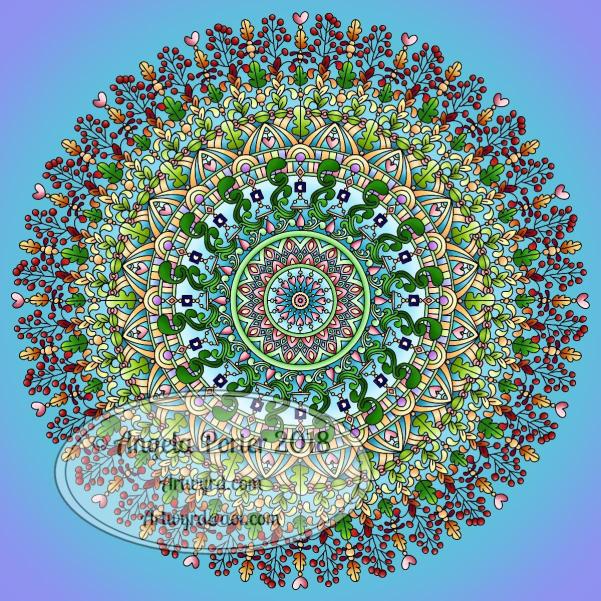
The image above is something I wanted to try out, and I’m kind of pleased with it.  Drawn and coloured in Autodesk Sketchbook Pro using my Surface Pen on my Microsoft Surface Book.  Hand drawn though in a digital environment.

Today’s clutch of repeated patterns.

Having more fun in between more ‘serious’ work, not that any of my arty times are ‘serious’, they’re all fun!  I’m so lucky to make a business out of  something that is always pure contentment to do – create art.

#createdonsurface

#autodesksketchbook

Repeating pattern

Tile11 onelayer Angela Porter small and watermarked

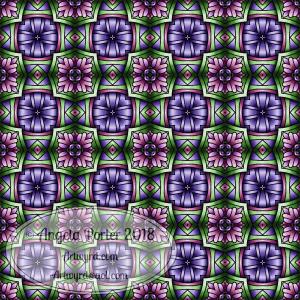
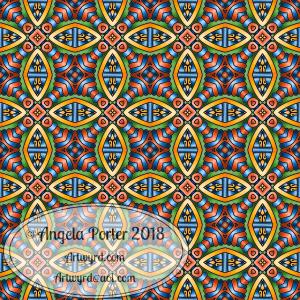
Oh, I’m having so much fun creating repeating patterns!  There is something inside me that loves geometry and symmetry and messing around with dimension, and it gives me a bit of a creative break from the contract work I have at the moment.  Not that I’m not enjoying that, ‘cos I am, but sometimes it’s nice to do something a bit different.

I used one of my entangled drawings of late with the Repper program, GiMP and Autodesk Sketchbook Pro along with my Microsoft Surface Book and Surface Pen to create this.

The colours came from this months color palette challenge over on the Angela Porter’s Coloring Book Fans facebook group, though I added the teal green into the palette.