Inktober 2018 – Day 4 – ‘Spell’. A Dangle Design

Angela Porter Inktober 2018 Day 4 - Spell

I’m a day behind in the Inktober Challenge as far as the calendar goes. Not that it’s all that important methinks.

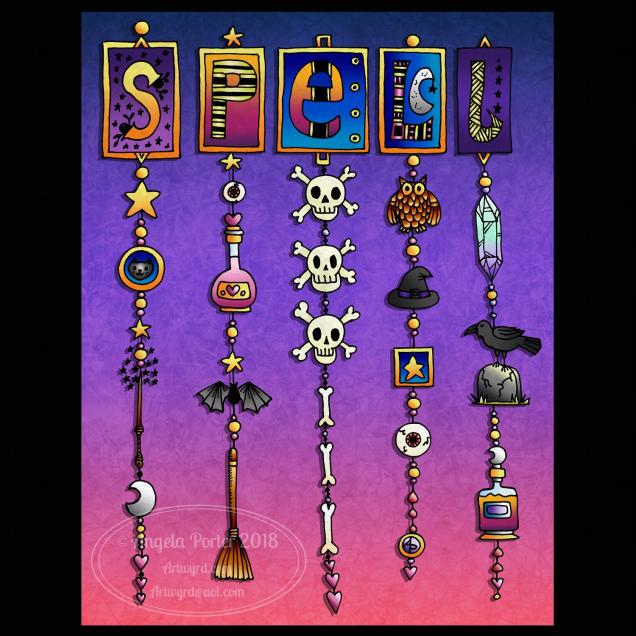
One thing I’m sure of is that the prompt for day 4 – ‘spell’ – just spoke dangle design to me, and as I’ve made Friday #dangleday, well it was perfect that I worked on it today.

I started by drawing the black line art on dot grid paper with a black Papermate Ink Joy gel pen. These pens are a joy to use, often a bit too thick a line for much of my drawing, but perfect for this one. I drew the design in one go – no pencil lines for anything, even though my letter S is a bit squiffy and there’s a wonky dangle.

I scanned my ink drawing into GiMP so I could remove the dot grid and create a transparent background for the line art.

Next it was using Autodesk Sketchbook Pro to add simple colour to the design and background, then to add texture using brushes. Oh, and a drop shadow. That drop shadow helps to lift the design from the background just a bit.

I’m actually quite pleased with this design, though it was touch and go whether I’d finish it or show it at one point.

When I’d finished the line drawing I thought ‘oh no, how awful this looks!’. I didn’t give up, though. I was going to try to keep it monotone, adding shading in stipples and lines and so on, but I decided colour may be the thing that brings it to life.

I’m always doing my best to say thank you to members of the Angela Porter’s Coloring Book Fans Facebook page and other colorists for bringing my line art to life by wielding their magical coloured pens and pencils and other media, and commenting on how wonderful they make my line art/coloring template/illustrations look.

I often cringe at some of the drawings I did for books just a few years ago, and often at the work I do now, today’s dangle design in it’s line art version being an example of that.

Then, when colour is added it works like a magic spell in making the art look wonderful, even the simple colouring I’ve done with this dangle design.

So, all of you colorists out there, continue to work your magic spells on the black and white coloring templates and please show me the results of your color spells on my coloring templates by tagging me on Facebook, Instagram or twitter.

This would look really nice as a bujo, planner or scrapbooks spread for Hallowe’en. I think it would make a lovely greetings card or note card. It would look fabulous printed and framed in a spooky black, glittery frame and displayed as part of some Halloween decorations. In fact, it would look great all year round for fans of magical fiction, films or TV.

What would you do with it? Where do you think it could be used? Please leave comments.

Just a reminder that my book ‘A Dangle A Day’ is available for preorder and it’s due for publication in January 2019.

#Inktober2018 #adangleaday #angelaporterillustrator


Tiny botanical tile 23 September 2018

Angela Porter 23 September 2018

Yesterday, I had an enjoyable couple of hours drawing fairly cute designs that are 6cm x 6cm (approx. 2½” x 2½”).

I drew my little designs (twelve of them in total, and not all of them I’m all that fussed on at the moment) on Rhodia dot grid paper with a Uniball Unipin 05 pen. Then, I scanned them into the computer and did my usual magic to remove the dot grid and create a transparent background.

Finally, I used Autodesk Sketchbook Pro and a Microsoft Surface Pen, along with my Microsoft Surface Studio to colour the image.

I used various brushes and brush textures to achieve the colouring.

It’s really small, for me. A 6cm x 6cm size would look darling on a small greetings card or note card. I also think they’d make a lovely addition to a BuJo, Planner or Scrapbook page.

Dangle Day Friday 21 September 2018

Angela Porter Dangle Day 21 September 2018

It’s Friday, so that means it’s #dangleday!

A simple, elegant design with a sweet sentiment for this week’s dangle design. I like the symmetrical nature of the dangles.

I did sketch the design out in pencil on dot grid paper which I scanned in to ink in digitally and make use of the symmetry tool in Autodesk Sketchbook Pro. I also coloured and added texture with various brushes in Sketchbook. Naturally, I made use of a Microsoft Surface Pen and Microsoft Surface Studio to do this.

I kept to a really simple colour scheme, using just one pink, golden, blue and green colour gradient for the design, with the exception of the rainbow beads in the central dangle.

It would be really easy to put a different sentiment or greeting in the box, but I like this one.

A different colour scheme, of course, would result in a very different ‘feel’ to the card, matching all kinds of seasons and occasions.

This would make a lovely greetings card or note card. I think I’d like to use it for the beginning of each month in a BuJo, planner or diary, changing the colour scheme as appropriate for that month. I do like playing with themes for my BuJo, but there’s something in me that likes a cohesiveness in design/style.

What would you do with this design? Let me know by leaving a comment.

Of course, I could print the uncoloured version out and colour with different media. It would be no great chore to re-draw the design on paper more suitable for, say, watercolours, where my printer doesn’t cope with decent quality watercolour paper.

Just a little reminder that my book ‘A Dangle A Day’ is available for pre-order, just click on this linkIn the book I give help, guidance and advice on creating your own dangle designs, as well as providing many examples of monogram dangles and dangle designs that you can use for your own projects.

Abstract Botanical 19 September 2018

Angela Porter 19 September 2018

It’s a lovely, sunny late summer morning here in the UK and it’s been a perfect time to finish this design off.

Yes, it’s another abstract, zentangly, entangled botanical design, which seems to be my signature style of art, though I do dabble in other styles, as you know, particularly my kind of dangle designs.

This one, like many of my previous ones, was completed in these stages:

  1. Draw the black and white line art on Rhodia dot grid paper using a black 08 Sakura Pigma Micron pen.
  2. Scan the drawing into GiMP. Use tools to remove the dot grid and remove the noise. Save with a transparent background.
  3. Import the image into Autodesk Sketchbook Pro. Any edits to lines can be made here using a pen ‘brush’ that mimics the texture of the Micron pen on the dot grid paper. Then layers are used to create the background, add colour to the design before adding texture and highlights.

It takes a day or more to create a piece of art like this. The drawing of the design alone can take anywhere from 2 to 10 hours, depending on the intricacy and size. This one was A4 in size and isn’t very detailed; I let the colour and texture add details to the design in this instance. I want the colours to shine. The colouring etc. has taken a few hours to do.

It takes me at least as long to create a piece of digital mixed media art as it does to draw and colour the design using traditional methods such as Chameleon markers or Inktense pencils.

What I love about working digitally is the ability to change the colours I use for the elements, and then being able to add texture and highlights/shadows. I can see where I need to go back to the image and add or deepen shadows to increase the sense of depth in the design. A drop shadow on the background isn’t really needed as I think the background is like a sunset sky or alien sea.

The other thing about digital work, is the ability to use the black and white outline to re-work the design using a different colour palette, different textures. I also have the option to print the design out and colour using other media, such as marker pens, perhaps changing the size of the image so that I can create, say, a greetings card or note card, or even a page for my BuJo.

I spent some time on Monday playing with Repper Pro and had some fun creating repeating patterns using the last couple of abstract botanical images. Just from a couple of artworks, I have more than a hundred seamless tiles for patterns; it’s just sorting through them and working out which are the best. I may post some of the best ones later today or tomorrow, and maybe create some based on today’s art above too.

I actually think some of the tiles would, with a border, make amazing patterns for square cushions/pillows worked in tapestry, canvaswork, cross-stitch or similar. You can decide for yourselves when I post them.

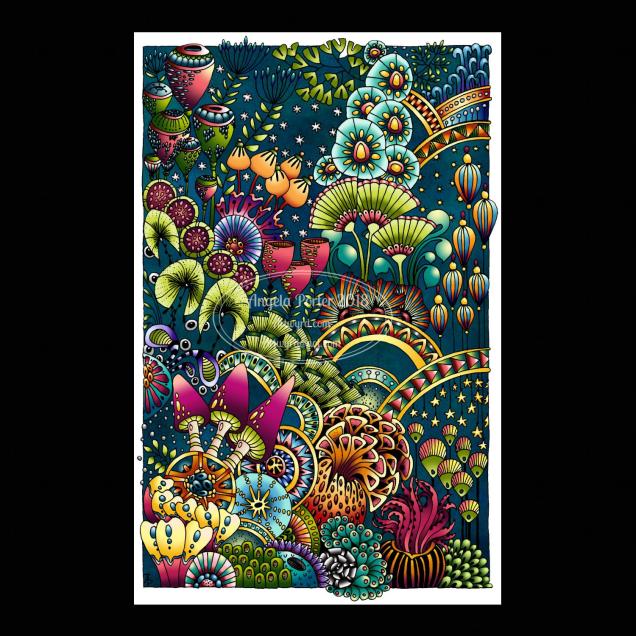
Abstract Botanical 16 September 2016

Angela Porter 16 September2018

Another abstract botanical. Here are the steps I took in creating it.

  1. Draw the black and white line art design on dot-grid paper from Rhodia using Sakura Micron pens.
  2. Scanned the drawing in, removed the dot-grid, removed noise and created a transparent background in GiMP opensource photo editing software.
  3. Imported the image with a transparent image into Autodesk Sketchbook Pro and added colour and texture.

It took a couple of hours to draw the design and several hours to colour and so on.

My digital tools are a Microsoft Surface Pen and Microsoft Surface Studio.

I love the way many of the elements seem to glow against the dark green-blue background.

Many of my latest works like this seem to have an ocean, watery background going on. So, in the one I have on the go at the moment I’ve done a kind of sunset background. I’ll see how that turns out. Working digitally means I can alter my backgrounds really easily for sure.

I’ve been creating backgrounds digitally, but I want to create some on paper with Distress Inks and scan them in to use instead of the digital backgrounds.

I also made use of a more limited colour palette in this work – going for a more cohesive look/feel. These aren’t colours I’d normally choose to go together, but they seem to work fine.

I now have a fair few of these images and so now really need to try to work out what to do with them. I may try to import them into Repper and create repeating patterns from parts of them; that could be an interesting exercise for sure, but a fun one!

If you have any ideas of how my artwork could be used, leave a comment – I’d love to hear!


Work in Progress Wednesday

Angela Porter 9 September 2019 02 coloured small1

This was drawn on paper with Sakura Pigma Micron pens, scanned in and is in the process of being digitally coloured in Autodesk Sketchbook Pro. I’m using my Surface Studio and a Surface Pen, both from Microsoft.

The background may go a little darker on this one, but I’ll decide on that when I’ve completed colouring the design elements in.

It’s also work in progress Wednesday over on the Angela Porter’s Coloring Book Fans facebook group. We’d love to see your colouring works in progress of pages from my coloring books. Why  not pop along and join in? You’d be very welcome there.

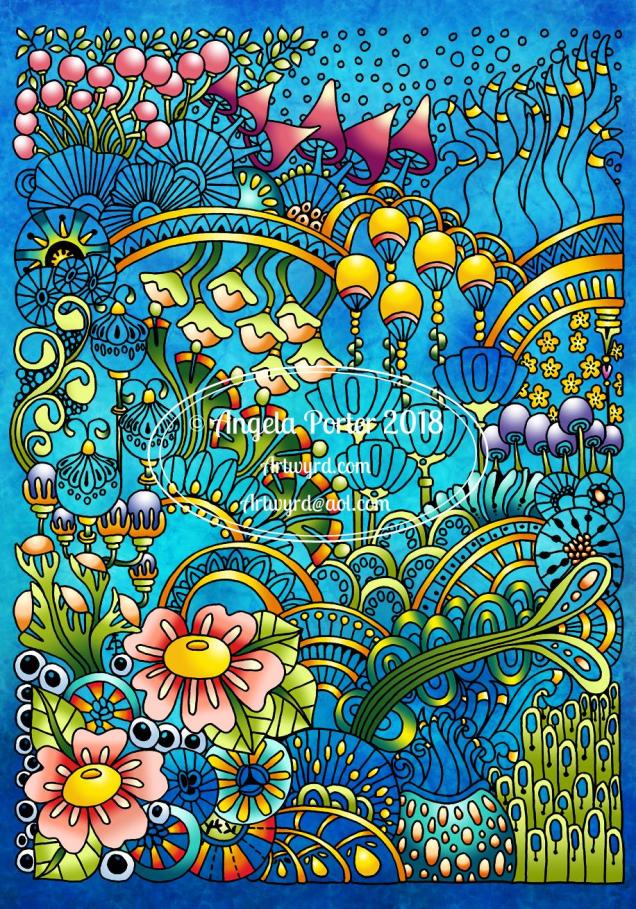
Abstract Botanical 9 September 2018

Angela Porter 9 September 2018

This one has taken many hours to do, and I’m not quite happy with the background colour/texture, but I need a break from it.

I drew the black and white line art on paper with Sakura Pigma Micron pens, scanned it in, created a transparent background and then coloured it digitally.

I used Autodesk Sketchbook Pro with a Microsoft Surface Pen on my Microsoft Surface Studio.

Fun to do. A nice way to spend time, jut playing. And it’s unusual for me to colour in one of my black and white pieces of line art.

#dangleday

Angela Porter 13 July 2018

I declare today, Friday, to be #dangleday! And to celebrate, here’s a dangle design, which includes a hand-lettered quote.

Want to draw your own dangle designs? Need a bit of inspiration or advice? Then my book “A Dangle A Day” is available to pre-order from Quarto.

I drew this one on paper with a Sakura Pigma Micron PN pen, scanned it in and then edited and coloured digitally using Autodesk Sketchbook Pro, which is now totally free! My Microsoft Surface Book and Pen were used to do this.

I’d include this in my bullet journal (BUJO) as a really cute quote page.

It would look lovely as part of an art-journal page too, though cutting out all the fiddly bits could be a bit challenging, though re-drawing them would be easy enough I’m sure.

I do have some ideas about dangle designs and art journals and other stuff that’s running around my head, but they’ve not really become solid enough that I can bring them into practice…yet.

If I made the dangles a bit longer, then this would make a really nice bookmark. It would also work quite nicely as a tall and thin greetings card, I think. Especially as the quote could easily be changed for something different.

Over on the Angela Porter’s Coloring Book Fans facebook group, it’s #furbabyfriday. I’m looking forward to seeing them all! Why not pop over and say hello?

Friday quote

Angela Porter 1 June 2018

I am so lucky being self-employed, doing something that brings me pleasure and never feels like work; it always feels like the weekend for me!

I sketched the words and part of the design on paper, photographed it and opened it in Autodesk Sketchbook, then used my Microsoft Surface Pen on my Microsoft Surface Book to hand-draw the letters and flower wreath.

Yes, it is hand-drawing, even though it’s done in a digital environment. I use my Surface Pen as I would any pen or pencil. I do make use of some of the tools in Autodesk Sketchbook to speed up the drawing – such as the symmetry tool, and the ability to move elements in the hand-lettering around (I’m learning not to be too fussy about size and arrangement in the sketch; that just gives me the general idea of lettering styles and sizes).

All the same, it’s a nice way to start a Friday with a decorated #fridayquote, just to get those #weekendvibes going with #thatfridayfeeling #fridayfeeling.

Happy Valentine’s Day

Valentine’s Day 2018

Angela Porter Valentines 2018

I designed this colouring template for the facebook group Angela Porter’s Coloring Book Fans for them to post coloured versions today.

This is my coloured version.  I drew on paper with pen, but coloured it in using Autodesk Sketchbook Pro on my Microsoft Surface book using my Surface Pen.

Why I’ve been so quiet…

It’s been nearly a month since my last blog post.  The reasons?  Focusing on a book at the moment.  It’s called A Dangle a Day: Lettering Alphabets and Seasonal Designs with Charms  , though there’s no cover image for the book yet on Amazon it is available for pre-order.  It’s not a colouring book per-se, it’s more of a tutorial book, but colouring does play a big part of course.

It’s a new direction for me, I’m learning new things about publishing, and enjoying the challenge.  I have to focus on this project for now, and not sure I can do ‘sneak peeks’ yet, but when I can, I will!

I do have another colouring book to do after this one …more about that later on.

The other reason is that I’ve been unwell.  Nothing serious, thought to be a ‘viral wheeze’ (which is affecting me like asthma) but it’s got worse again, and is stopping me sleeping properly and lacking energy to do more than what I need to contractually do.