Over quite a few hours I’ve used this design to explore digital colour a bit more. Of course, it’s one of my own designs.
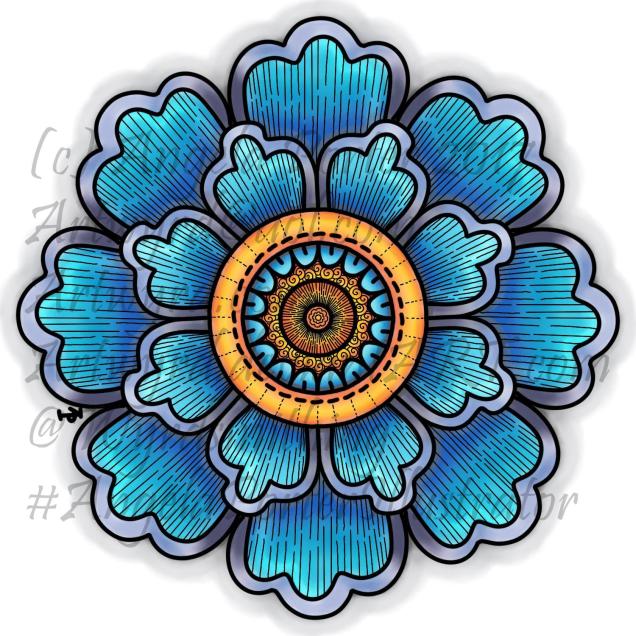
This is the first coloured version of the template. I’ve left the black lines in and added some more line patterns for interest. To colour the flower, I used a couple of pencil ‘brushes’ in Autodesk Sketchbook Pro along with two blender ‘brushes’. The colours come from the Copic colour palette.
I’m quite happy with this; it’s very much like what I’d do with traditional media. However, the digital environment means it’s far easier to correct mistakes.
As I’ve said before, you may think that digital colouring/art is faster and easier than traditional media; I have to tell you it’s not! It took me 2 hours or so to colour this simple flower – and that was just colouring one-eighth of the design and letting the symmetry tool copy it around the flower! With traditional media it would have taken me much less than 1 hour to achieve a similar effect.
I don’t think that the extra time is due to me not being familiar with the ‘brushes’ I’m using, but more to do with the way that you can use layers as well as intensifying the contrast after each blending session. It is quicker to lay colour down – it doesn’t have to be neat and smooth as the blending tools can help to smooth out the unevenness.
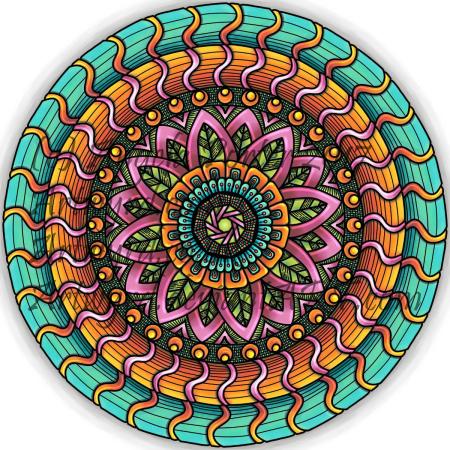
Now, this one really is something quite different from me. NO black lines. Not one. Just colour.
It took me a lot longer to do this one – 3 to 4 hours in total I think, and it’s only a small and simple design! Part of that time is because this is something very different for me – no black lines…
I also made good use of layers to keep the colours separate so they didn’t blend; one layer for blues/purples and another for the yellows/oranges. A third was added for the background.
Getting my head around the concept of working in layers after a long time only ever working on one sheet of paper, is a really challenge, but as I work in this way it becomes more familiar to me.
I’m also a bit ‘stubborn’ in terms of exploring and discovering what works and how to do things my own way rather than reading/watching tutorials.
Like any skill, it takes time to develop some level of competence with it, and a lot longer to achieve a mastery. The more I do with digital art, especially in Autodesk Sketchbook Pro, the more I like working with it. I like Sketchbook, lots. It may not be as complex as Photoshop or Illustrator, but it does what I want it to do without struggling with a complicated interface. It allows me to draw/create a lot like I would with paper and pen, and then to explore more media than I’d ever use with traditional art media, and media that don’t even exist outside of the digital environment.
The more I work with it, the more I know I will need a Microsoft Surface Studio sooner rather than later; as much as I love my Surface Book, I do find it difficult to understand how things will look 1:1.
I’m in no great rush though, my Surface Book works just fine, and if the worst comes to the worst, I can sketch my ideas out and scan them in and work from that, using layers of course!
As you know, I’ve been spending quite a lot of time developing a good relationship with both my Microsoft Surface Book and Autodesk Sketchbook Pro.
I’m fairly happy with drawing on the surface, though I’ve yet to get the texture of the ‘pen’ I use to be a little less perfect and a bit more ‘human’. There’s also the issue of not quite getting how big patterns will be when printed out, and then finding out that a powerful magnifying glass along with microscopically fine pointed pens/pencils will be needed to colour the patterns if not done digitally.
Now, I have mostly been printing my designs out and then colouring them with traditional media; particularly my Chameleon Color Tones and Color Tops marker pens. I do love doing this – it’s a very sensory experience.
However, I am aware I have a different tool for colouring viz. Sketchbook Pro and it’s suite of brushes and textures and so on.
Believe it or not, it takes me longer to colour an image in digitally than it does with traditional media, and I mean a LOT longer.
I love the way the colours are clean, almost glowing, when I use the marker pen ‘brush’ or one of the watercolour brushes. I’m getting to grips with which particular kind of blending or smudging ‘brush’ I like to use. I’m starting to get the idea of working with layers.
What is vexing me, is how ‘perfect’ the finish is, and how simple it looks. I wonder if it is way too simple a finish. It also frustrates me that I’m kind of trying to replicate the effects of traditional media but with digital tools, and failing as everything either works out almost perfectly blended with bright, clear colours, or ends up as a bit of a mess as I try to use different brushes or textures.
A dear friend of mine pointed out to me that I’m trying to compare apples and oranges, that perhaps I should treat digital colouring as an art medium all of it’s own instead of trying to make it like traditional media.
It was also pointed out that I do have a tendency to give myself a hard time when things seem too easy to me, or end up too perfect.
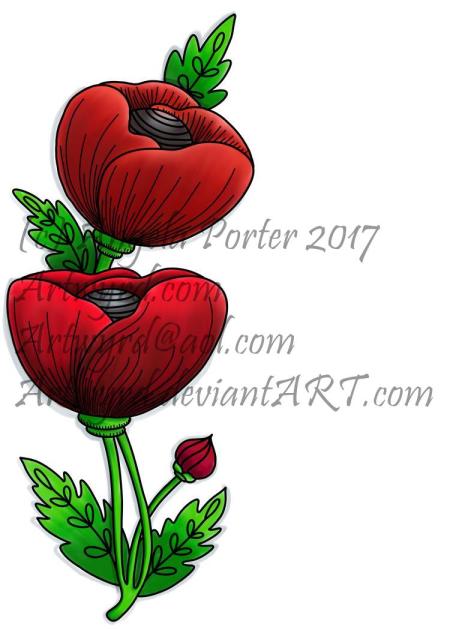
All of the images in this post have been coloured digitally, and the colours have shading/gradation in colours, but there’s no texture in them. But then, there’s little texture in the colouring when I use marker pens, such as my Chameleons or Copics, unless I deliberately add it, which I’m always disappointed with. I much prefer to add texture with black lines, which I need to bear in mind now as I work with digital colour.
I also recognise that I need to do a bit more to make more ‘contrast’ between the paler and darker shades of colours, as well as making sure there’s good deep shadows to add that illusion of 3D to the drawings.
I will continue to experiment and explore the other digital media and brushes, as well as special effects, and in time I may work out how it can all work for me in a way that I’m happy with.
I used Autodesk Sketchbook Pro on my Microsoft Surface Book along with my Surface Pen to add patterns and shading to two of the butterfly outline designs I drew yesterday. I’m happy with the results.
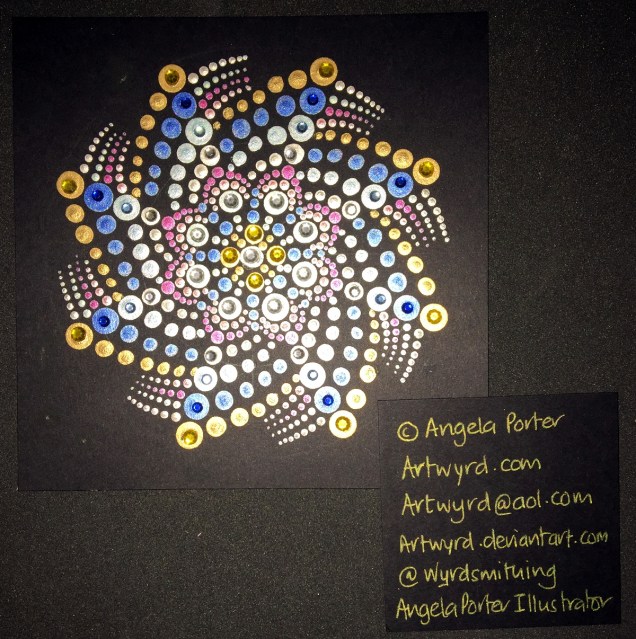
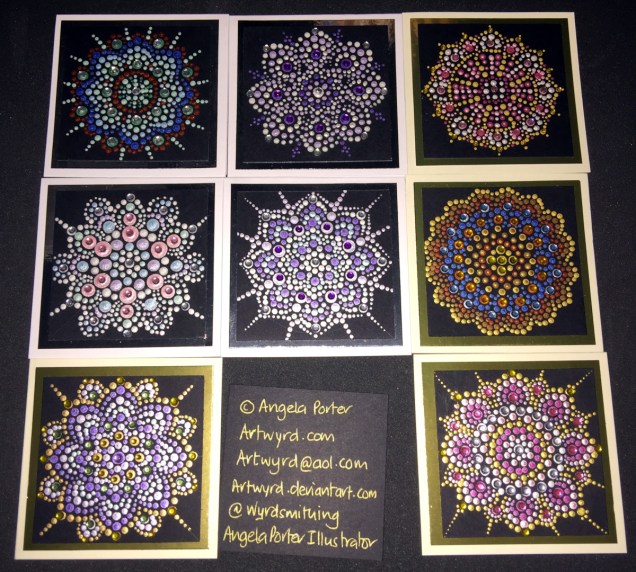
Today I’ve also created two more dot mandalas, each around 5″ in diameter. I added some gems to those, as well as to the small dot mandalas I created over the last couple of days. The sparkle really adds something special to them, and helps to emphasise the circularity of mandala designs.
Over the past couple of days I’ve continued working on my Microsoft Surface Book using Autodesk Sketchbook Pro to create digital images for used in card making and mixed media projects. IFungi and butterflies have been my chosen subjects, and you can see some of them in the images above. They’ve also been digitally coloured, though I’ve still got dots and lines to add to them to give more depth and dimension to them.
They’re all now cut out and sitting waiting to be used in various projects. There’s still more drawings carefully filed away on the Surface Book for future uses…
Dot Mandala Cards
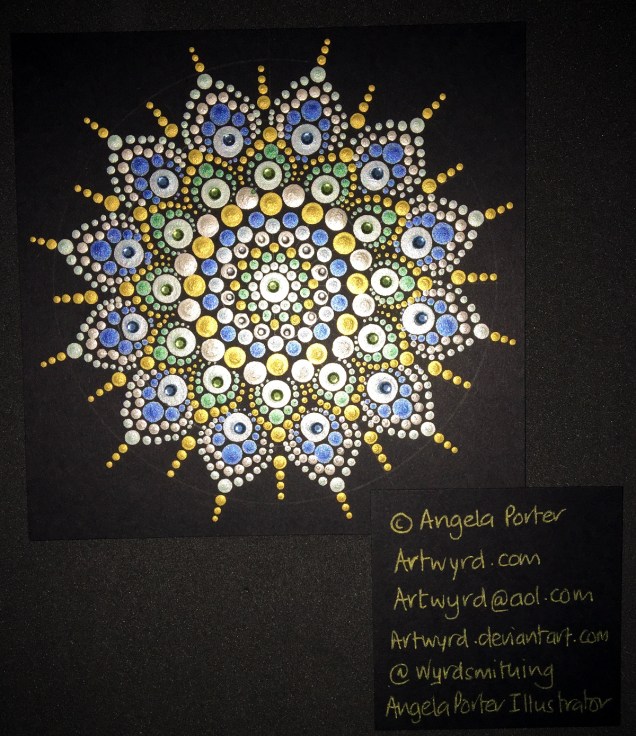
I’ve also have a bit of fun creating some teeny-tiny dot mandalas. Each card base is just 3″ x 3″ (approx. 7.5cm x 7.5cm). The black card I used as the substrate is 2½” square (approx. 6.25cm).
The acrylic paints I used are either metallic or pearlescent, so they do catch the light rather nicely.
Two index cards worked on over the last day or two. The focal points are shells I drew, first on paper, then the image was worked on on my Surface book with Autodesk Sketchbook Pro and my Surface Pen,
I had to use scissors to cut out the shells (not my favourite task as I’m not good with scissors) after I’d coloured them using the Chameleon Color Tones and Color Tops marker pens. I’m really pleased with the colouring.
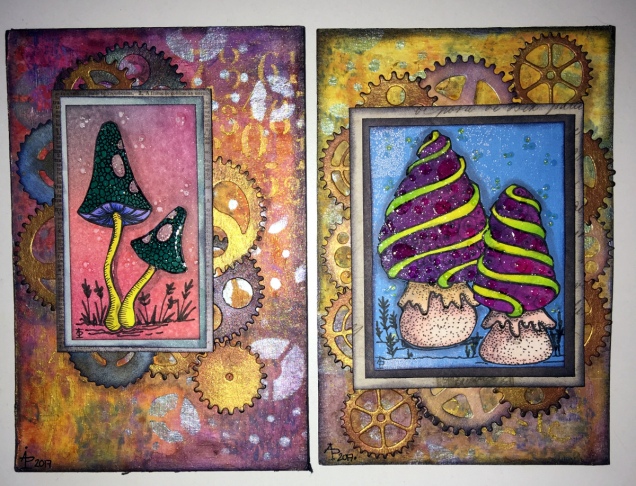
Lots of different techniques/media were used on the index cards – stamping, stenciling, inktense pencils, distress inks and distress oxide inks, pebeo dyna paints, perfect pearls sprays, gesso, clear holographic embossing powder from WOW!
I’m happy with them, though I’m not sure they’re quite finished, especially the little one.
Digital drawing library
I’m beginning to build up a library of my own digital drawings – fungi, flowers, shells at the moment, oh and one angler fish skeleton that I’ve not used yet (but that’s an idea for later or tomorrow maybe).
I have to decide if I put these images together as packs of ‘digi-stamps’ for sale…I’m really pleased with my shells here, but the fungi have worked out fine too. With my limited scissor skills, I’m keeping it in mind I need to keep the outlines relatively simple, but the inside of the design can be rather detailed, which is fun.
I drew the fungi then coloured them with the Chameleon Color Tones and Color Tops pens. Cogs have appeared in the background once again – gotta have a lil bit of steampunkishness!
I’ve used 3D Crystal Lacquer on the fungi caps and on the stars in the background.
I’m liking the slightly bigger format of the index cards compared to ATCs.
I spent some time yesterday and this morning adding some details to drawing on each of the index cards.
I added stippling and lines to add shading on the focal points, both in black and white.
I also added some ground for them so they weren’t floating in air; the grasses or plants in the background I wanted as black silhouettes just so interest/texture/pattern was added.
Finally, I added either white dots or black ‘popping bubbles’ to the ‘sky’ for more visual interest.
I’m now much happier with them and feel that they are complete.
This is a little bit of a different blog post from me.
As I’ve mentioned before, I experience CPTSD (complex post-traumatic stress disorder), which presents itself in many ways, including anxiety, depression, and a low self-esteem.
I’ve had lots of counselling over the past eight years or so, and for the last two and a half years I’ve had a lovely therapist who specialises in EMDR therapy. It’s taken a long while for me to get to the point where I believe that such a gentle kind of therapy works, and works for me. It’s still a slow process…but progress is being made. A major change in employment nearly a year ago seriously helped with that.
Last week, my counsellor suggested I read a book called ‘Tapping In’ by Laurel Parnell. In the book, Laurel Parnell describes how the process of bilateral stimulation by means of tapping the knees or outer thighs can be used to reinforce a safe place, helpful guardians and other tools to help during both therapy and everyday life. My own therapist has successfully used it to reduce anxiety during a dental appointment as well as aiding in sleep.
She suggested I read the book and we do some work on the resources I need before continuing with EMDR as the last few sessions have left me rather upset, fragile, and, unsually for me, unable to find my ‘safe place’ at the end of a session, so that I can leave the fragile and upset state behind.
So, yesterday we worked on my safe place, with me coming up with a new one and ‘tapping in’ the contentment, peace and safety I feel when I imagine myself there. The bilateral stimulation from alternating taps to the outer knees, helps to reinforce the feeling of the place, and actually helps to intensify it.
I have no problem imagining places I can go to in my imagination; I’ve used guided meditations over the years for various purposes. When it comes to me coming up with my own imaginary places, it never ceases to surprise me what these places are like!
The other thing that was suggested after I’d verbally described my place, was to spend time over the week drawing/painting/creating images of this place, as well as practicing the process of tapping in my safe place and using it to help me manage my current high anxiety levels. (My anxiety intensified greatly yesterday, not as a result of counselling, but by the decision to hold a ‘snap general election’ and my worries about what is happening in this country, in the world, which then gets transferred to worrying about finances as I’m now self-employed, and so on and the constant chatter of anxiety winds itself up if I’m not careful).
Me being me, I get to it almost straight away…starting with these mandalas
Mandalas based on the feelings I get when I’m in my ‘safe place’.
“My mandalas were cryptograms concerning the state of the self which was presented to me anew each day…I guarded them like precious pearls….It became increasingly plain to me that the mandala is the center. It is the exponent of all paths. It is the path to the center, to individuation. ” – Carl Jung
So, I started with some abstract, intuitive mandalas to try to express the feelings I have when I think of my safe place, when I remember the feelings I have when I’m there.
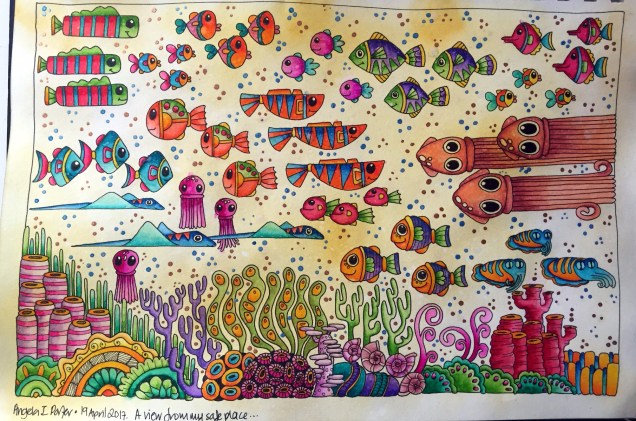
Next, I wanted to draw some kind of representation of a view from one of the windows of my place. And this is what I came up with, though the view changes all the time!
Yes, I know water isn’t yellow, but in my inner world it can be! It also shimmers with gold and has lots of shining gold and blue ‘dots’ in it. Lots of happy creatures and colours there, all entertaining me … diverting my attention away from my anxiety.
Yes, I use art to help me manage my mental health. When anxious, doing art helps me become less so; when depressed, art lifts my mood. I’m sure the inner critic chatters away even when I’m ‘arting’, but the art takes my attention so the critic’s voice can be ignored.
Oh, before I drew anything, I took time to write a clear description of my safe place, as words are how I build up mind images.
I’m looking forward to ‘tapping in’ help for creativity, amongst other things… I’m also looking to intuitively drawing and creating some more of the living things that I can see from my safe place – all friendly and protective of course, nothing scary allowed there! Which suits my tendency to rather whimsical, cutesy, artistic style.
So, I’ve shared a little of my ‘safe place’, but I’m keeping a lot of details to myself – no offence, but I don’t want any gate crashers there!











 Art is the Adventure