Another fantasy fungus mixed media – work in progress

IMG_0627

The last couple or so days I’ve been working on stuff in preparation for this, though I wasn’t quite sure how it was going to work out, if at all.

The background I made earlier today just wasn’t the right thing…so had to re-do that. I’m happier with this one, and the first background has been consigned to patterned, coloured, embossed papers for future projects.

There’s still a fair amount of work to do on this one, and I think it’ll work out OK in the end.

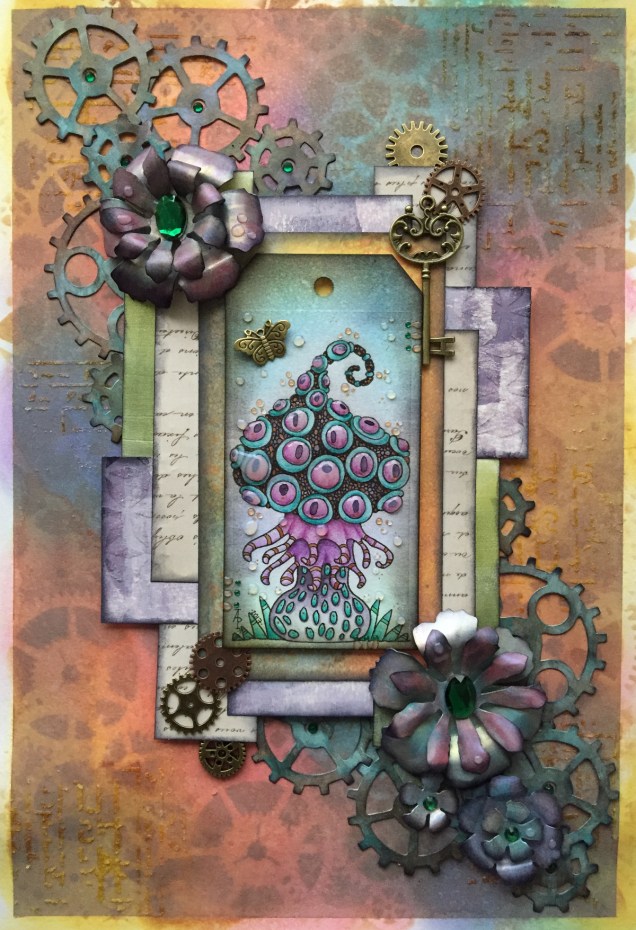
Fantasy fungus mixed media

IMG_0624

This one is mostly finished. I need to add shadows around the elements and some shiny patterns to the layers I think.  Oh, and the hole in the tag needs something added.

The fungus I drew and coloured myself.  That was enjoyable to do!  In fact, the whole thing has been satisfying.

Colorist app update

Doodleworlds1

I was pleased to be told by Shelly and Kelly at Faction Apps that there’s been an update to the Colorist app.  That means I had to have another play!

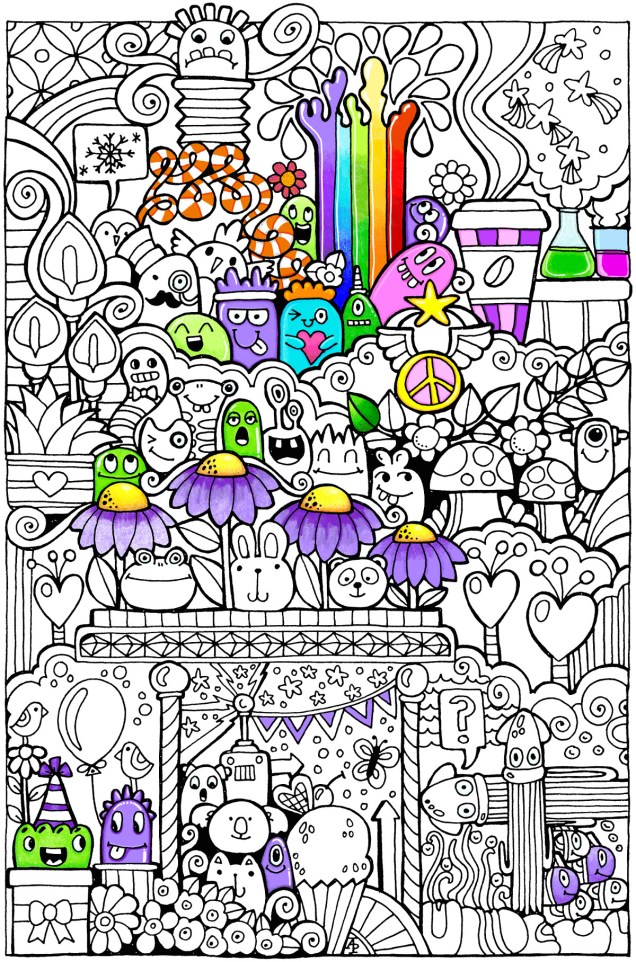
The image above is one from my first book for the Colorist app – Doodle Worlds.  Many areas have been filled in using the original pencil tool, which is great as it allows for overlaying of colours as well as being pressure sensitive if your device allows for that (my Microsoft Surface Book certainly does!).

It took me a while to get used to how the pencil works in the app, but that’s not a problem as either the undo or eraser tools allow you to completely remove anything you’re not happy with.  (The eraser is also useful for removing colour to create a highlight!).

Bucket Tool

One of the new tools is a bucket-fill, which is great for filling areas with flat, solid colour.  I used this tool for the pink monster.  The pencil tool can then be used to add shading/highlights over the base colour.

A useful tool is the bucket tool as it allows for quickly filling areas with a solid colour, even teeny-tiny areas thanks to the ability to zoom in on the image! This saves some time and effort, which can then be spent on carefully adding the shading and highlights to the area.

Marker Tool

This is my favourite addition to the tool box in the Colorist app!  I love the solid colour it lays down. The colours aren’t transparent, however, so blending isn’t yet possible with them ( perhaps that’ll appear in a future update of the app).  Markers (especially Chameleon pens) are my favourite way of adding colour to drawings like this on paper, so I look forward to this tool being developed more in the future (fingers crossed and maybe a bit of pleading from me!).

What I love most about this tool is that I can draw and doodle and add texture and pattern to the image with the solid lines that I prefer in my art. I did this with ease on the flower next to the orange and white stripey twisty thing.

The wide range of colours available in the colour palette mean that highlights and shadows can be achieved, so long as a subtle blend from one colour to another isn’t required.  However, I’ve just thought that a clever use of the pencil tool may allow this to happen.  I’ll have to try that out!

Eyedropper tool

I didn’t make any use of this tool, but I’m likely to in the future as it means that you can easily select a colour you’ve previously used in the image being coloured without going to the palette and ttrying to remember just which shade of, say, blue it was you used.

Sketching in the Colorist App
Angela one

The ability to sketch within the app, and save the drawings too, is the fab new feature.  I really like this, especially with the marker pen tool.

Usually, I use Autodesk Sketchbook  for drawing on my Surface book.  One of the weird things about drawing on the Surface with the pen is that there always seems to be some wobble in the line, even if the line drawn is smooth.  Autodesk has a smoothing tool, which in the Pro version you can set to a level that suits the art  you are doing at the time.

Although the Sketch function in Colorist doesn’t have the smoothing tool (yet?) it works just as well as Sketchbook for the kind of doodly, abstract, whimsical art I do.  The image above is a drawing I did in Colorist last night, it took an hour or so to achieve.

I enjoyed using this function, though not being able to rotate the digi-paper meant it was a tad awkward for me to draw certain things.  However, Colorist isn’t designed as a  dedicated drawing/art app, but I do wonder if a ‘pro’ version could be developed where a small fee is paid for such a functionality. The latest updates certainly suggest to me that there’s a possibility that this could be a direction the app could take in the future.

My verdict

I really like the updates, especially the marker and the sketch function. Congratulations to all at Faction Apps!

The suggestions I’ve made above for extending the additions in the future are not criticisms of the great updates made, but they would take this app beyond that of being just a colouring app, so I’m well aware they may not happen.

However, I do believe this app could evolve from being a colouring app into something more…

Butterflies and flowers – mixed media

IMG_0607

A second done today!  A4 in size, just as ‘Hope – flowerpunked’ is.

I’ve just realised I’ve not done the shadows around various elements, but that’ll have to wait as the drops on the petals are drying.

It’s deuced hard to photograph these well; the butterflies shimmer with different iridescent colours, as do the flowers .  The leaves have a kind of verdigrised bronze look to them. The background is very matte in contrast to the shimmer of the elements affixed to it.  There’s also some vintage paper behind the elements – from a very old science book!  Well I am a scientist as well as an artist.

I’m going to have to find something to do with all these mixed media pieces as storing them is going to be difficult as the latest ones have a lot of ‘dimension’ to them.  On this one both the butterfly wings and the flower centres are raised up somewhat.

I also have to decided if I’mg oing to continue having acrylic nails and nice gel nail finishes as all this mixed media work has just about wrecked them!  I thought that was nigh on impossible, but perhaps not!

More mixed media

I’m really enjoying this, perhaps a bit too much as I’m not focusing on what, perhaps, needs focusing on. However, it is true that a change is as good as a rest!

It’s a nightmare trying to photograph these pieces of artwork as they are so metallic and iridescent, but hopefully you’ll get a fairly good idea.  I’ve tried to scan them, and for the ATCs it’s a no go, and the scan of the other image isn’t any better than the photo.

The ATCs have been so much fun to do, especially as I’ve been collaging and playing with texture, and gears…gotta try a little steampunk-ish type stuff every now and again!

Media used :

  • Distress oxide inks
  • Die cuts of gears and snowflakes
  • Ranger Gloss Multi-medium
  • Tim Holtz’s collage medium, matte
  • Perfect pearls
  • Imagination Crafts Rusty Patina
  • PaperArtsy Fresco paints
  • Posca paint pens
  • Liquitex and Pebeo iridescent and metallic paints
  • Various gems, glues, papers

Blooming rain

Angela Porter 20170311_002

Another mixed media piece just finished, I think. I may add glossy accents or 3D crystal lacquer to the bubbles/drops and parts of the flowers, or maybe not.

The image has been scanned so the iridescence and glimmer doesn’t show up, sadly.  Also, I’ve been a bit heavy handed with the shadows around the flowers and bubbles/raindrops.

Here’s the list of media I used:

  • PaperArtsy Fresco paints
  • Distress Oxide inks
  • Liquitex and Pebeo iridescent and metallic acrylic paints
  • Perfect Pearl spray in gold
  • Posca pens in black and white
  • Derwent’s Inktense pencils
  • Uniball Signo white gel pen

A colourful bunch

IMG_0579

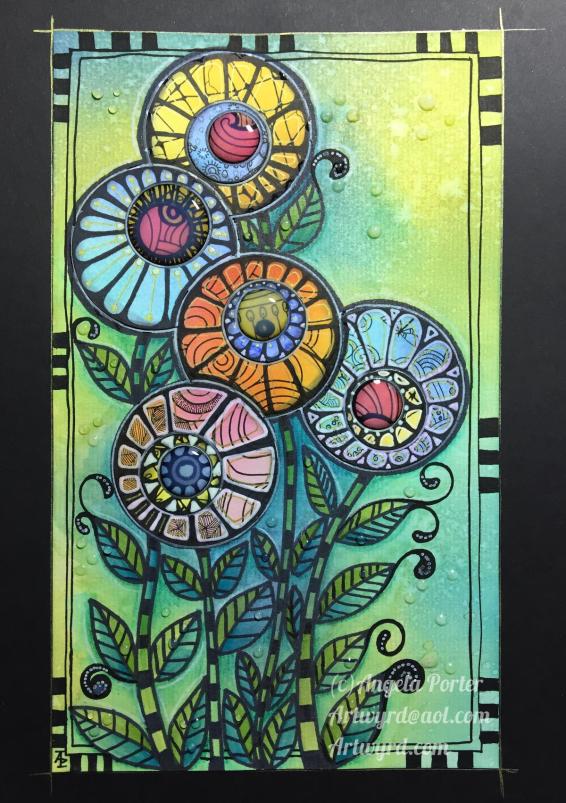
This is just finished, though the 3D Crystal Lacquer on the flower centres hasn’t dried yet, so they’re a tad on the cloudy side.

I’m really pleased with this.  Not least of which for bravely, possibly even crazily, using some of my entangled, abstract art to make the flowers!

So, how did I do this?

Firstly, I made the background.  I used a piece of cream paper that has a texture on it that is designed for use with pastels, charcoal and coloured pencils, and I added colour using Distress Oxide inks.  I then sprayed it with a solution of gold Perfect Pearls which gave water spots and gold shimmers to the background.

Next, I’d had this crazy idea to use some of my art to create the flowers.  I chose some art that had colours that would stand out against the background and each other and I used circle punches to cut out circles of varying sizes.  I used a mini ink blending tool and sponge to add jet black Archival Ink to the edges of the circles to distress them as well as to give them a definite edge against each other.

The circles were stuck together in groups of three and then stuck onto the background in a pleasing arrangement, as if they were flowers in a bunch.

Next, came the outlining with a black Sharpie, as well as adding patterns to the circles to create petals and so on.  The white was added using a Sakura Glaze pen.  I also added gold patterns and highlights using a UniBall Signo pen.

The next step was to draw the stems and leaves, which was done with the Sharpie pen.  I used a waterbrush with paint from some of Derwent’s line painter pens.

Next, I intensified and added shadows under and around the flowers, stems and leaves using Inktense pencils and a waterbrush.

This was followed by the creation of the border using a black Posca pen.

Finally, the mixed media panel was adhered to a black background and the gold pen was used to add lines around the panel.  Oh, and then I decided to add 3D Crystal Lacquer to the flower centres.  An accidental drop of the lacquer on the background led to me adding more drops.

I’ve really surprised myself with this project.  I really enjoyed it, and even though I was wondering what on Earth I was thinking in ‘destroying’ some artwork I liked, I came to realise it was repurposing the artwork to create something new, different and allowing me to explore the world of mixed media more, particularly how it relates to myself.


Six small tiles

angela-porter20170224_0003

I’ve completed the six tiles I cut from a single piece of mixed-media paper that I had coloured using Distress Oxide inks.

Next, I used Faber-Castell Pitt artist pens to draw the designs and add the patterns on each tile.

To add depth to the designs, I used Inktense pencils and Faber-Castell’s Albrecht Durer Watercolour pencils with a water brush.

Finally, I used either iridescent/metallic watercolour paints or a metallic gel pen to add some shimmering, shining details to each.

I really enjoyed doing these; again, they’re a little different to a lot of the work I’ve done for colouring books, so it’s nice to explore different ways of creating.

The thicker black lines I’m using at this time mean my art reminds me a little of stained glass and also of lino cuts.  I do like the very bold lines; it almost seems like I’m making a statement.

Little drawings

img_0564

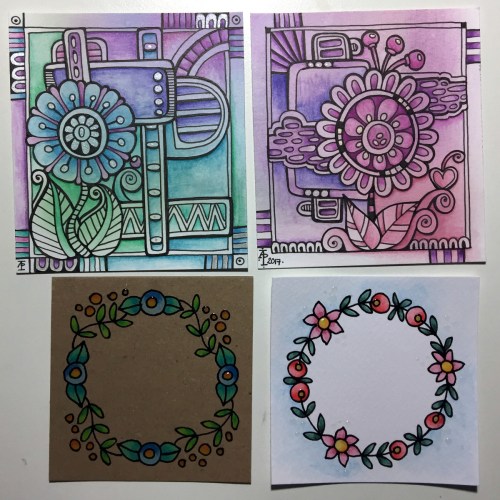
Today, I’ve taken a bit of a break from drawing doodle art and played with Distress Oxides and other media.  The photo above shows just a couple of the small pieces of art I’ve created.

The top two are drawn on Strathmore Bristol paper with a vellum surface which was prepared with Distress Oxide inks brushed on using a stencil brush.  That worked really nicely!  I used a Faber-Castell Pitt Artists pen to draw the design on and then I used Inktense pencils to deepen colours and add shading, before adding just a few metallic highlights here and there.  I really enjoyed drawing these ones, and I have some more pieces of the inked paper ready to draw on – that’s the rest of my evening sorted then!

The bottom two are from some experimenting I did earlier in the day. Both were drawn using a Sakura Glaze pen.  I used Derwent Color Soft pencils to add colour to the design drawn on Kraft paper, and Inktense pencils with a damp brush on the other.

I also had some 3D Crystal Lacquer made by Sakura Hobby Craft arrive today, so I added dots of that to various elements in the bottom two to see what it’s like.

I have been trying out watercolouring with the Distress Oxides, and they end up with a finish that is similar to gouache.  I’m not sure I like using them in this way, however.

Doodle, illustration from 11 Feb 2017

angela-porter20170211_0016-watermarked

I’ve done it!  I’ve worked out how to easily add a watermark to my scanned artwork to try to protect it as I share it online.

Autodesk Sketchbook Pro made it a doddle to do and so I’ll make sure I do this in the future.

To draw this one I found, after much searching, my Rotring Rapidograph pens.  It’s been a while since we were acquainted with each other, but yesterday was the day!  I’d forgotten what a joy they can be to draw with.  Also, unlike the UniBall UniPin or Sakura Micron pens I generally favour to draw with, I don’t wreck the nibs in a short space of time. I must press a lot harder than I think I do with them…

So, onwards to more art.  A lesson learned about protecting my ownership of my art and some control of it when I release an image of it into the wilds of the world weird web.