I have a new book of coloring templates available on Colorist from Faction Apps. This one is called Intricately Yours – Mandalas, and the image above is one of the mandalas partly coloured.
I used the flood fill to add base colours to the patterns, and then added shading/highlights with the pencil tool. The patterns in the bottom were drawn using the gel pen tool.
Updates to Colorist
While test driving one of my templates on the Colorist app, I discovered a new feature, which I love – pre-set color palettes. I used the Easter palette to colour the above mandala.
I may be an artist, but I do sometimes get overly fussy with my colour choices, so being able to use a pleasing and limited colour palette makes life a bit easy for me!
I also discovered settings that allow you to turn touch colouring off, which is great for me as I use my surface pen, and a setting that keeps you automatically inside the lines, or not.
My previous blog post about a mixed media work in progress is still on hold, although I have added a crackle paint to it in places, which has added some texture to it. I’m pleased with the result, but I still am not sure what else to do to complete it.
I have completed a very textured background for some mixed media work; you can see it above. What I’m going to do with it I’m not quite sure, but I’m sure it will all come together at the right time.
Abstract Line Art
I’ve been drawing more ‘Doodle Worlds’ images from time to time and now need to gather them together to see if there’s enough for another ‘book’ for the Colorist app.
I also turned my attention to colour and pattern and the two images above are the results of around three to four days work.
I used A4 300g/m² smooth watercolour paper and applied distress inks to create the coloured areas. I wanted to create the illusion of shadow and light in these areas. Next, I used various drawing pens to add the patterns. On the green piece, I’ve added copper and gold coloured metallic highlights. The pink one isn’t quite finished yet.
Sketchbooks and my artistic journey
As the days are becoming lighter and warmer, my thoughts are going to getting out to visit places and to do some sketching/drawing (intense anxiety and intense self-consciousness allowing).
With this in mind, I’ve prepared pages in an A5 and an A4 sketchbook. I’ve used Distress and Distress Oxide Inks.
The image above shows the first page in my A4 sketchbook, a page full of daisies, worked using different media, trying out different styles and degrees of detail.
I like to work on a coloured background, I don’t know why, I just do. I think it may be that I like to add shadows and highlights to create and image from the colour on the page.
I’ve not done much in the way of sketchbook work for a long while, but the need to revisit and to continue to explore different ways of expressing myself artistically has surfaced. I think this is a much over-due response to the surfeit of work on colouring books in the past three or so years, as well as the struggle I’ve had with my mental health.
My energy, when mentally able, has been focused on completing the work I was contracted for with various publishers. I enjoyed the work, the subject matter pushed my boundaries in the subjects I tackled. I’m so grateful for that work as well as it allowed me to make changes in my working life that helps me to take care of my mental health. It was/is also an activity that helps me manage my mood. I lose myself in drawing/creating, finding myself ‘in the flow’ where my mind stills, or, rather, where I no longer pay attention to the inner critic.
However, the colouring book work was the focus of my artistic energies for much of that time, and I had little energy left to explore other areas of artistic expression. I didn’t mind that at all, as I’ve said, I enjoyed all the work I did, and I will continue to create templates. However, that is not all I want to do or to create.
I now have time to revisit ways of artistic expression I put to one side in my focus on the work for publishers, and I have the chance to see how my skills and expression have developed/changed. I also get the chance to explore and discover new ways of expressing myself, using new media.
In this way I can continue to discover, practice and refine my artistic voice and vocabulary. I still feel like a toddler in the world of art. I wonder if I’ll ever progress from that state.
The biggest obstacle to me doing this is the lack of belief and confidence I have in myself and my artistic abilities. I also have a problem in deciding on what to draw. Then, there’s also the issue of finding themes/styles/media to explore that will challenge me just enough that I feel I can make a good attempt at them and gain confidence in them, but not so much that it overwhelms me and I fail before even trying.
The most important thing for me, however, is to enjoy my artistic journey, no matter where it leads me. The pleasure and peace I get from creating will be something that will serve me extremely well throughout the rest of my days on this planet.
I was pleased to be told by Shelly and Kelly at Faction Apps that there’s been an update to the Colorist app. That means I had to have another play!
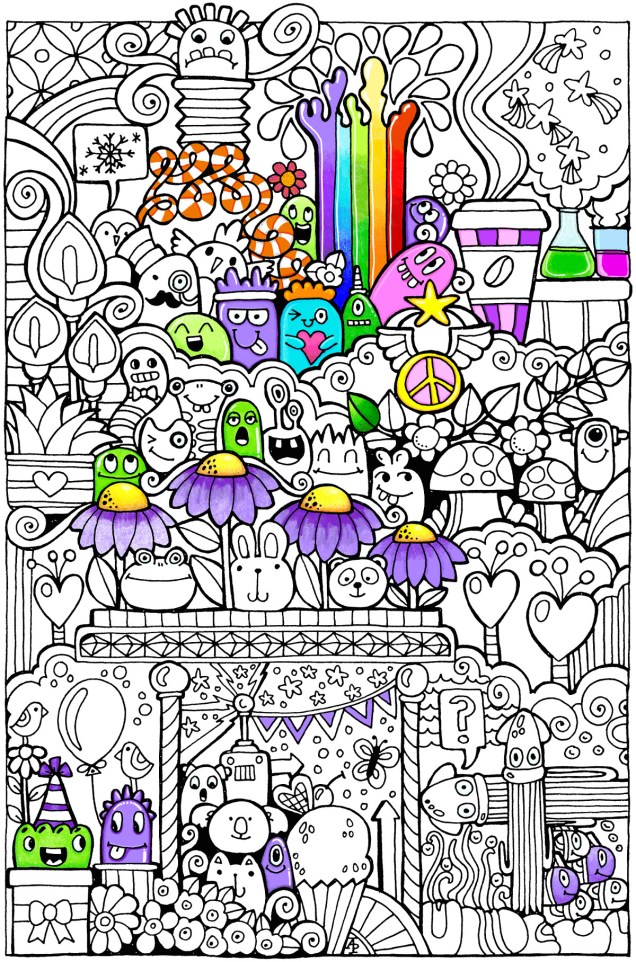
The image above is one from my first book for the Colorist app – Doodle Worlds. Many areas have been filled in using the original pencil tool, which is great as it allows for overlaying of colours as well as being pressure sensitive if your device allows for that (my Microsoft Surface Book certainly does!).
It took me a while to get used to how the pencil works in the app, but that’s not a problem as either the undo or eraser tools allow you to completely remove anything you’re not happy with. (The eraser is also useful for removing colour to create a highlight!).
Bucket Tool
One of the new tools is a bucket-fill, which is great for filling areas with flat, solid colour. I used this tool for the pink monster. The pencil tool can then be used to add shading/highlights over the base colour.
A useful tool is the bucket tool as it allows for quickly filling areas with a solid colour, even teeny-tiny areas thanks to the ability to zoom in on the image! This saves some time and effort, which can then be spent on carefully adding the shading and highlights to the area.
Marker Tool
This is my favourite addition to the tool box in the Colorist app! I love the solid colour it lays down. The colours aren’t transparent, however, so blending isn’t yet possible with them ( perhaps that’ll appear in a future update of the app). Markers (especially Chameleon pens) are my favourite way of adding colour to drawings like this on paper, so I look forward to this tool being developed more in the future (fingers crossed and maybe a bit of pleading from me!).
What I love most about this tool is that I can draw and doodle and add texture and pattern to the image with the solid lines that I prefer in my art. I did this with ease on the flower next to the orange and white stripey twisty thing.
The wide range of colours available in the colour palette mean that highlights and shadows can be achieved, so long as a subtle blend from one colour to another isn’t required. However, I’ve just thought that a clever use of the pencil tool may allow this to happen. I’ll have to try that out!
Eyedropper tool
I didn’t make any use of this tool, but I’m likely to in the future as it means that you can easily select a colour you’ve previously used in the image being coloured without going to the palette and ttrying to remember just which shade of, say, blue it was you used.
Sketching in the Colorist App
The ability to sketch within the app, and save the drawings too, is the fab new feature. I really like this, especially with the marker pen tool.
Usually, I use Autodesk Sketchbook for drawing on my Surface book. One of the weird things about drawing on the Surface with the pen is that there always seems to be some wobble in the line, even if the line drawn is smooth. Autodesk has a smoothing tool, which in the Pro version you can set to a level that suits the art you are doing at the time.
Although the Sketch function in Colorist doesn’t have the smoothing tool (yet?) it works just as well as Sketchbook for the kind of doodly, abstract, whimsical art I do. The image above is a drawing I did in Colorist last night, it took an hour or so to achieve.
I enjoyed using this function, though not being able to rotate the digi-paper meant it was a tad awkward for me to draw certain things. However, Colorist isn’t designed as a dedicated drawing/art app, but I do wonder if a ‘pro’ version could be developed where a small fee is paid for such a functionality. The latest updates certainly suggest to me that there’s a possibility that this could be a direction the app could take in the future.
My verdict
I really like the updates, especially the marker and the sketch function. Congratulations to all at Faction Apps!
The suggestions I’ve made above for extending the additions in the future are not criticisms of the great updates made, but they would take this app beyond that of being just a colouring app, so I’m well aware they may not happen.
However, I do believe this app could evolve from being a colouring app into something more…
First, the announcement! I’m doing some coloring templates for the Colorist App, and my first book of ten pages – called DoodleWorlds – is now available for it!
Review of Colorist
Colorist is the only app that lets you color with exactly the same feel as coloring pencils! Relax on the couch and enjoy coloring a complex design, a vacation spot, or a crazy cartoon cat – tons of pages to choose from. Even color the same picture more than once, to see what else you can do with it. No need to worry about losing your coloring pencils in the couch anymore!
I have tried the Colorist app out, and here’s an honest review of it.
I had a quick look at the app before I agreed to do any design work for Faction Apps as I’d not want to have my artwork on any platform that I didn’t think was a good thing.
I’ve given it a test run using my Surface book and the Surface pen. I haven’t tried it out in touch mode with my finger. You can see what I did in the image above, which is one of the free downloads as my own weren’t available at the time I did this test.
Here’s a close up of the section I coloured in.
The colour palette
There’s a large number of colours available in the palette, and the bar that appears beside the image retains the last eight colours you’ve used, which is really useful and makes colouring in areas you want in the same colours easy to do. It also means it’s easy to use many colours to get a smooth colour gradation, something that you can’t do with other colouring apps I’ve seen.
The pencil tool
There’s a slider bar with the tool so you can select the width of the pencil stroke, which is great. The finest settings allowed me to add patterns to the image. This is something that sets the app apart from others I’ve seen, which only allow a flood fill.
The finer lines and the ability to zoom in to the area you’re colouring mean you can get into the tiniest areas to colour, which at the original image size may have been a challenge, especially when printed on paper and coloured using coloured pencils.
The line isn’t a solid line, it has texture to it just as if you’re colouring on paper with a ‘tooth’ (texture). This means that optical mixing of colours is possible, as well as adding texture to that mixing. It also means that a smooth blend of colours is achievable.
The colours lay nicely on top of each other, thanks to that bitty texture; one colour doesn’t obsure the other, unless you use a lot of pressure and it’s what you want.
Oh, the colours don’t obscure the black outlines of the colouring page, no matter how hard you press.
My surface pen is pressure sensitive, and that makes the colouring experience a lot more comparable to colouring on paper with pencils, but without the mess! I don’t know what it’s like on a screen that isn’t pressure sensitive, or how it works if I use my finger instead of the pen.
I am really impressed with the results and how the pencil tool works.
Also, I can get a bit irritated when I’m colouring with physical pencils; they often make my arthritic joints ache. No such problem here; indeed, I wanted to carry on colouring but had to put it aside so I could get on with other things.
Eraser tool and Undo Button
It works! However, I preferred to use the white from the palette to erase small areas to add highlights as I could control the thickness of the line being used to remove colour.
The undo button would be really useful too.
Together, they are things you can’t do when you’re colouring on paper, well not easily.
Saving your art
You can save your work at any time by using the save button on the app. You can also colour each page in as many times as you like in as many different colour schemes as you like too.
Final thoughts
I like this app, very, very much. I found it easy to use, quick to master, and it gives really lovely results. It’s a well thought through app, it does what it says it does, and the experience and results are a lot like using coloured pencils on paper!
I just want to repeat that although I have done some artwork for the app, these views are my own and not influenced by me working for them; if hadn’t htought the app was a good product I wouldn’t have agreed to do work for them!
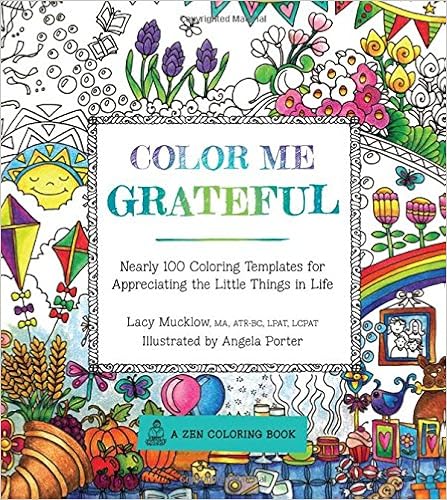
The first is the sixth in the ‘Color Me’ series from Race Point Publishing, part of the Quartos group. This one is called Color Me Grateful, and is Lacy Mucklow and I It’s already available in the US, and in the UK from Thursday.
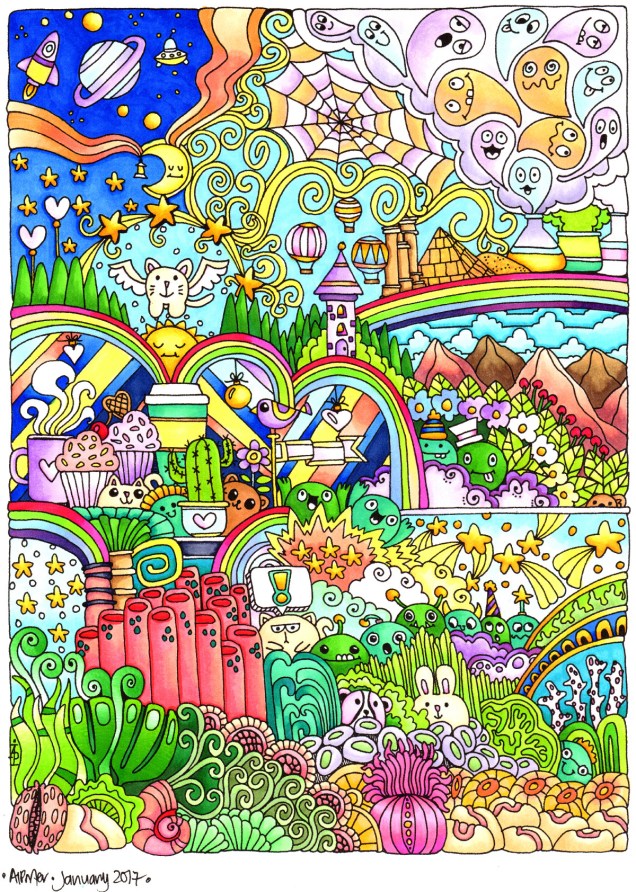
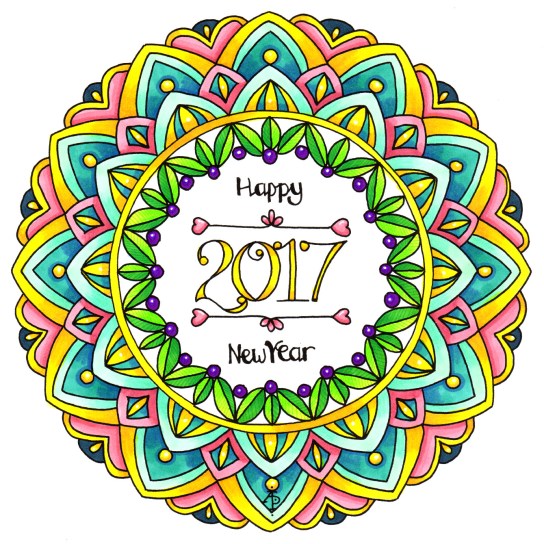
See the end of the post for the line art version if you’d like to download, print and copy for yourself!
I know, it’s a little early, but I thought I’d post this today, as well as a bit of a personal review of the past year.
2016 has been an interesting year for me, one of some major changes in my life.
It started with me being a science teacher, off again on long-term sickness due to a recurrent bout of intense anxiety and depression. I was so distressed about having to return to work as a teacher, about what else I could do. I couldn’t think straight. My capacity to read and understand what I was reading or remember it was severely impaired. I had trouble going out of my home. Anything to do with my job caused me an intensifying of these symptoms and the most distressing nightmares I’ve ever had.
Teaching has changed so much in the 28 years I was a science teacher. The pressures have increased, both in terms of workload and behaviour/attitudes of the students that is a reflection of how society has changed too. All of this resulted in triggers for my depression/anxiety/low self-esteem/low confidence.being overwhelmed by even little things. No matter how well people told me I was doing as a teacher (senior teachers, colleagues, inspectors (I never had less than outstanding in the last two inspections I was seen teaching in), I never believed them and thought it was just a fluke.
Because of this, I kind of knew that I’d have to leave teaching, but didn’t know if I could do so financially. I’m single, responsible for all my bills and so on, so whatever I did I had to make sure I had some kind of financial security.
Eventually, I made the decision to leave teaching and to become a self-employed artist/illustrator based on the success of the adult colouring books I’ve done (of which there are now many – listed on my amazon author page), and that happened in the early part of the summer, officially.
This was, arguably, the best decision I’ve made for a long time. The difference it is making to my mood/mental health, as well as progress in counselling is quite remarkable. My only worry at the moment is my first tax return and tax bill in the early part of next year!
I know I have a lot to do to create a portfolio and to come up with projects that will keep contracts coming my way, but I do have some breathing space at the moment, with just one book to be completed asap.
On the back of this decision, my home had a major clear out, again in the early summer. Though it’s not entirely finished, enough progress has been made for now. I now need to have a major de-stash of art materials to make space for either new, or just easier organisation of the materials i use most often.
I also discovered I have quite strong views politically about how our society should be a lot more caring of those who need help, for whatever reason, and how important the British NHS is and how much more it should be valued by those in power in the country, and not just seen as a cash cow for their buddies and supporters. It took me a long time, but I finally worked out that my beliefs/views politically mostly aligned themselves with the traditional Labour Party (not ‘new Labour’, which seems to me just a lighter shade of blue than the Conservative Party). So, I joined the Labour Party. Yet to make it to my first meeting, but no doubt I will do.
I also have become involved with Time to Change Wales as a Champion. This is an organisation whose campaign is to end the stigma and discrimination that surrounds mental illness. I’ve yet to tell my story at an event, but that’s on the cards for sometime in the early part of 2017. Again, this is something I have strong feelings about, especially the self-stigma that prevented me from recognising and accepting I had a mental illness (complex post traumatic stress disorder(cptsd)) and seeking help.
I am really grateful that I did recognise the cptsd, and have made the major change of going self-employed as a way of looking after myself and being happy in how I earn a living, and it doesn’t even seem like work most of the time!
I’m grateful for those who have stuck with me through thick and thin, offering me the support and encouragement that they are able to.
I’m grateful to those who have created difficult circumstances for me, and those circumstances have either shown me how far I’ve come along in healing, or where I need to focus some attention on as my counselling continues.
So, thank you 2016 for moving me forward in my life with the challenging events, for showing me how far I’ve come along in my healing journey, and for the fun and laughter that have helped me keep going.
Thank you to all those who have believed in me when I didn’t believe in myself, who have given me amazing opportunities to create and share art with others via the medium of adult colouring books, and I look forward to all the opportunites that come along in 2017 for me to continue to create and share with others.
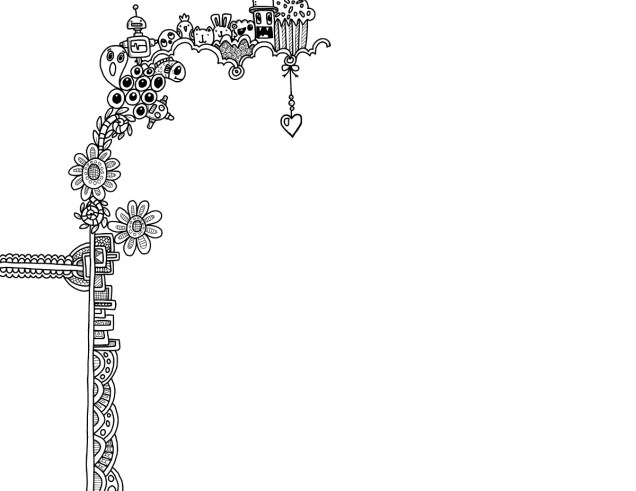
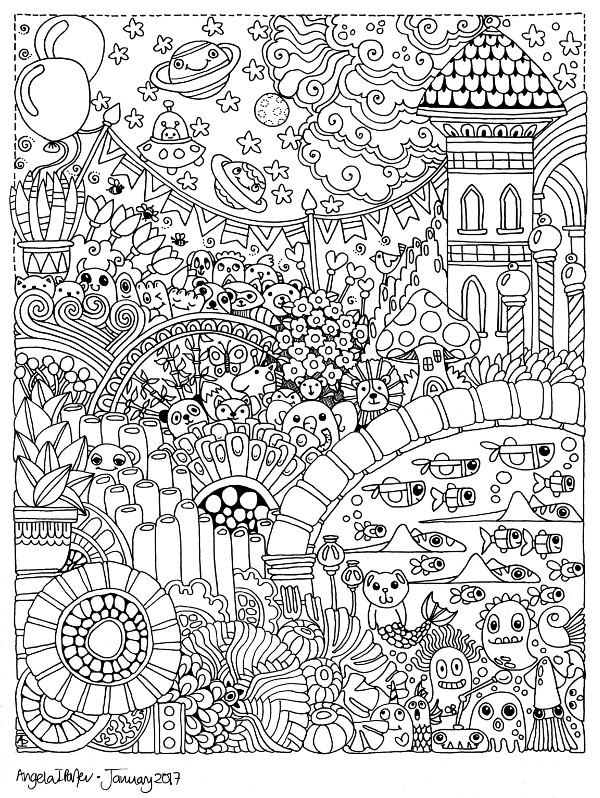
Here, as promised, is the line art for the image above. If you’d like to download/print and colour, please do so. All I ask is you respect my copyright, you use it just for personal use, not for commercial gain, and if you share your coloured image, please link back to my blog.Enjoy, and thank you!


 My previous blog post about a mixed media work in progress is still on hold, although I have added a crackle paint to it in places, which has added some texture to it. I’m pleased with the result, but I still am not sure what else to do to complete it.












 Art is the Adventure