Over the past few days I’ve been drawing shells, flowers, fish and fungi and sorting them out to be digi-stamps, work all done on my Microsoft Surface Book. Some have been printed, coloured using my Chameleon Color Tones and Color Tops pens, cut out and mounted on mixed media backgrounds. The photos above show the fruits of my labours.
Apart from the Chameleon markers, the media I have used are:
Distress and Distress Oxide inks
Iridescent and metallic paints from Liquitex and Pebeo.
Perfect pearls sprays
Stencils
Stamps
Black Archival Ink
Inktense pencils
3D Crystal Lacquer
Alchemy Wax
I think that’s the complete list of media. I used mixed media paper for the backgrounds, and the paper was cut out using rectangular dies. Behind the backgrounds, I used silver mirriboard as a mat.
I’m quite pleased with them. No so sure about the kraft card bases (which are 5¾” x 4″ in size), but they were what I had.
Now, all I have to do is work out a price for them and pop them into my Etsy shop, though I think I will have to take better photos for that!
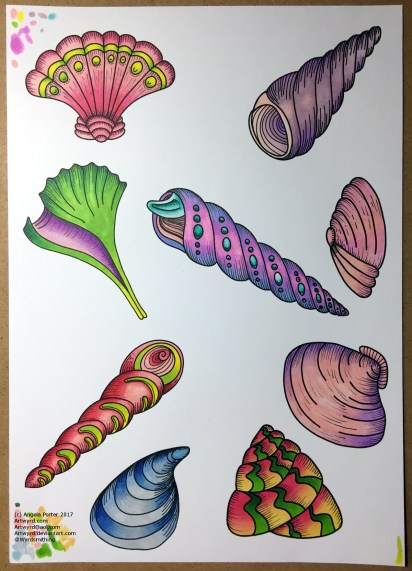
Between counselling and errands today, I’ve managed to create over 30 shell ‘digi stamps’ or individual images I can re-size and print out as needed by me, though I am considering putting them together as sets of digi-stamps, though I do need to add line detail to quite a few; that’s a job for another day.
I printed out a few of them on A4 paper, and used my Chameleon Pens to colour them in, and here’s the result – very brightly coloured.
My only problem is to work out what to do with them! Do I use them in some mixed media index cards or bigger work? Do I use them to make greetings cards? Is there something else I could do with them?
At the moment I don’t quite know, but I’ll work it. First I need to cut them all out. Hopefully, my scissor skills will improve …
Oh, I drew the shells on my Microsoft Surface book in Autodesk Sketchbook Pro.
Two index cards worked on over the last day or two. The focal points are shells I drew, first on paper, then the image was worked on on my Surface book with Autodesk Sketchbook Pro and my Surface Pen,
I had to use scissors to cut out the shells (not my favourite task as I’m not good with scissors) after I’d coloured them using the Chameleon Color Tones and Color Tops marker pens. I’m really pleased with the colouring.
Lots of different techniques/media were used on the index cards – stamping, stenciling, inktense pencils, distress inks and distress oxide inks, pebeo dyna paints, perfect pearls sprays, gesso, clear holographic embossing powder from WOW!
I’m happy with them, though I’m not sure they’re quite finished, especially the little one.
Digital drawing library
I’m beginning to build up a library of my own digital drawings – fungi, flowers, shells at the moment, oh and one angler fish skeleton that I’ve not used yet (but that’s an idea for later or tomorrow maybe).
I have to decide if I put these images together as packs of ‘digi-stamps’ for sale…I’m really pleased with my shells here, but the fungi have worked out fine too. With my limited scissor skills, I’m keeping it in mind I need to keep the outlines relatively simple, but the inside of the design can be rather detailed, which is fun.
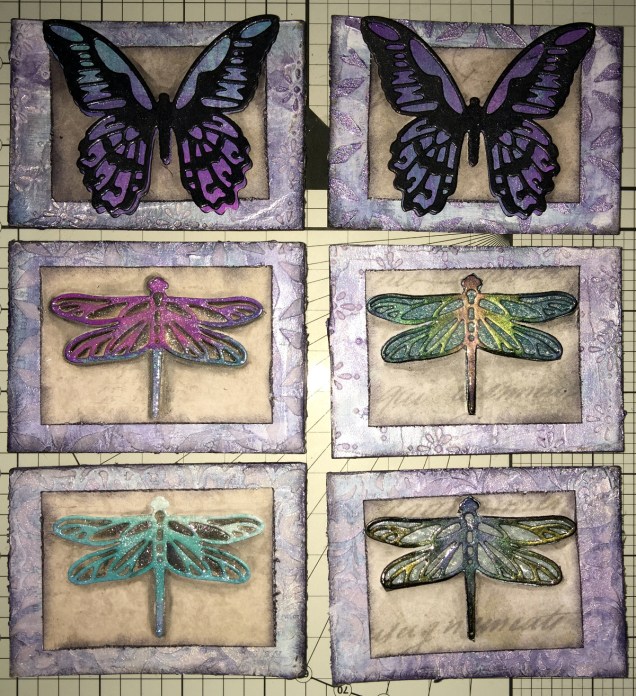
Today I’ve created a set of six ACEO/ATC cards using dragonflies and butterflies as focal images.
The photograph doesn’t do them much justice; the backgrounds are shiny purple and silver with some stenciled patterns created using modelling paste. Peeking through in places are patterns from some reprints of first series Ordnance Survey maps as well as some torn text from an old mathematics text book.
I couldn’t work out how to use my cogs and gears on these, but remembered all the patterned paper I have, so I had a bit of a furtle through and found some paper that looked nice against the busy background, which also the focal images looked good on. Indeed, they look like mounted specimens.
I got the focal images from my stash, already painted. However, I did put some painted and embossed papers behind the wings of two of the dragonflies, which looks quite nice. I did add a wash of iridescent medium to all the focal images (can’t avoid adding some sparkle).
On returning from an appointment, I decided I would cover the dragonflies with 3D Crystal Lacquer, which has worked out really well I think (difficult to photograph though).
I’m really quite pleased with these ACEOs/ATCs; they’re simple, yet they just work and satisfy my need for ornate, sparkle and shine. I’m glad I used the patterned paper to crated a calmer centre to mount the focal images on.
I don’t think I’m going to add any words/quotes to these, though a few gems or similar may be in order once the crystal lacquer has fully dried.
Drawing focal images
One thing I thought of as I was using the die cuts for focal images, is that I do need to find the confidence/courage to draw my own. I have done some fungi, flowers and ammonites, but haven’t printed them out at the right size, yet.
Also, it may be that using the surface to do drawings for this may not be the best way for me to work; my drawings do tend to turn out a little too ‘perfect’ for my liking in some ways. I’m still doing my best to work out how I can get my Surface Book to work for me as I’d like it too. However, if I don’t use the smoothing tools in the software, the pen wobble just is totally annoying (it’s also something that is inherent in the Surface Pen/Surface book, which I really hope Microsoft will do something about sooner rather than later.
It’s really easy to use dies to cut out images for use, but to create my own…well…but we’ll see if I manage to use my own drawings in the next batch of ACEOs/ATCs.
So, my job this evening (apart from going out to do some food shopping) is to do some drawings, on watercolour paper I think, to cut out and use as focal images.
Oh, using scissors is a bit of an issue for me. Despite me being right handed with pens and so on, I use scissors in my left hand. In fact, there are quite a few things I can do with either hand, and many things I’m equally as bad at with either hand, such as using a badminton racquet or golf club! Don’t ask. Anyway, back to the scissors. I’ve always struggled using scissors well, and I’m worse with left-handed scissors than I am with right-handed scissors. Craft knives and me tend to be a slightly dangerous pairing – for me, not for anyone else! I’m ok if I’m using a rule to cut straight lines, but anything else, well …
So, I will persevere, and perhaps the mistakes I make won’t be as noticeable to myself…
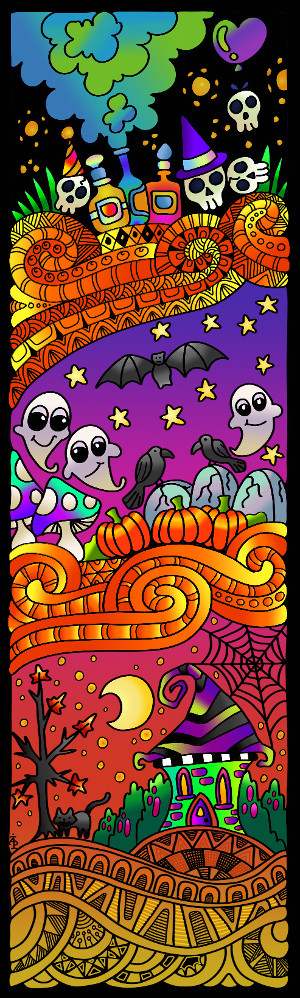
My first digitally coloured and drawn line art created using my Surface Book.
The image to the left is my first digitally coloured drawing I’ve done with the Surface, but not the first drawing I’ve done with it.
The image to the left is my first digitally coloured drawing I’ve done with the Surface, but not the first drawing I’ve done with it.
I went and did it. I really did. I thought long and hard about it, I considered my various options, but after a lot of help and a play with a Microsoft Surface I decided that I was going to get one so I could explore the world of drawing digitally and digital art.
So, I ordered a Surface Book, it arrived and I picked it up from the shop at a time when the young chap who helped me with information about them was there so he could see it and try it out – my thank you to him. Apparently it caused a ‘nerdgasm’ as a fair few of the assistants came over to have a look and lust over the Surface.
That was around 3 weeks ago and I’ve certainly been giving it a good try out, and learning as I go, and I really do have a lot to learn! I will learn too, as and when I need to simply by exploring and playing.
One awkward task has been finding a program/app that will let me draw on the surface almost as if it is pen on paper. So far, Autodesk Sketchbook Pro is my most used app. I’m having to learn about using layers, the type of ‘brush type’ and thickness and the other settings to get my drawings to look the way they do.
One little tool that has been invaluable has been the ‘smooth’ function; the Surface screen is so sensitive to movement and there is such little friction between the SurfacePen and the screen that my usually smooth lines were all over the place! This has solved it though, without making my drawings look like they’ve been computer generated. I’d like some choices of amount of smoothing applied, however, and maybe that’ll be something the app designers will add to it in future updates.
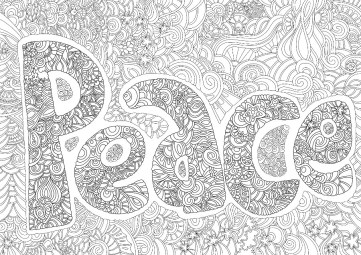
I have already found it of great help as I had some small amendments to make to a couple of images for Color Me Grateful. It was so easy to do these, once I’d worked out how to make the texture/randomness/spacing of the line drawn mimic the lines drawn with the pen I’d used on paper. No messy white-out liquid, no dusty eraser mess, no awkward editing to do with a mouse. I can do the editing and tidy up of lines as I work, easily erase ‘mistakes’ or alter elements wholesale. That alone makes the Surface worth it’s weight in platinum!
Add to that that if I am going to do all my future drawings on the beauty then I’ll not need to do the rather tedious task of scanning in and then cleaning up the images laboriously, then it’s worth double its weight in gold-pressed latinum!
Oh, I know I’ll still have to scan in a few images – ones I’ve printed out and coloured using traditional media – but they will be far fewer than the numbers I’ve had to do.
I did consider a Wacom Cintiq, however I couldn’t find anywhere to have a ‘test drive’ of one, and that I really wanted to do before I bought one. I was able to play with Surface and work out quite quickly that it would work for me, especially as there was software loaded on it that would do what I wanted to do with one.
Of course, it will lead me to exploring the world of digital art and how it will work for me and my style of art, but I also know it will open up new ways of working, new techniques and effects for me.
Printing
Playing with the Surface
I have a fair few drawings I want to print out to colour in traditional media, and also to check the line thicknesses and detail of the drawings as I’m still in the process of getting used to drawing on a screen that is smaller than A4 paper, and a lot smaller than A3. However, the more I use it, the easier it is becoming for me to adjust to this way of working.
So, I went to print out some art yesterday, to find my printer had died on me. I can’t even get it to turn on!
The hunt for a new printer began, and I chose an Epson printer that uses the DuraBrite Ultra ink as it’s supposed to be at least water resistant and someone has posted somewhere that it isn’t affected by alcohol markers such as Promarkers or Copics. That would be great if that’s the case! I also understand that the printer will take fairly hefty papers/cards too, which is even better considering I’ll want to put watercolour paper and mixed media paper through it. My dead Brother printer coped well with both of these, though the watercolour paper had to be fairly lightweight in comparison to some I have in my stash.
The new printer should be with me the middle of next week…
Other things…
I have a break for a while from working for publishers. I’m using the time to explore the Surface book, to visit places to gain inspiration, and to get my head around ideas I have for books and illustrations and so on. I also need a break from the wonderful, crazy but overly busy time drawing for so many publishers and books.
Crazily busy, yes, but something I’m so grateful for as it’s all allowed me to leave teaching and become self-employed.







 Art is the Adventure